Rox Helper
guideProfessions
Fishing and gardening
Two activities: fishing and gardening.
Both run in the background — minimise the window and go about your own business while everything happens by itself. You don't need to keep the game on screen: work, watch videos, browse — progress doesn't stop.
Step by step
- «Professions» tab → «Fishing»The chosen activity is the green capsule in the «Profession» card.
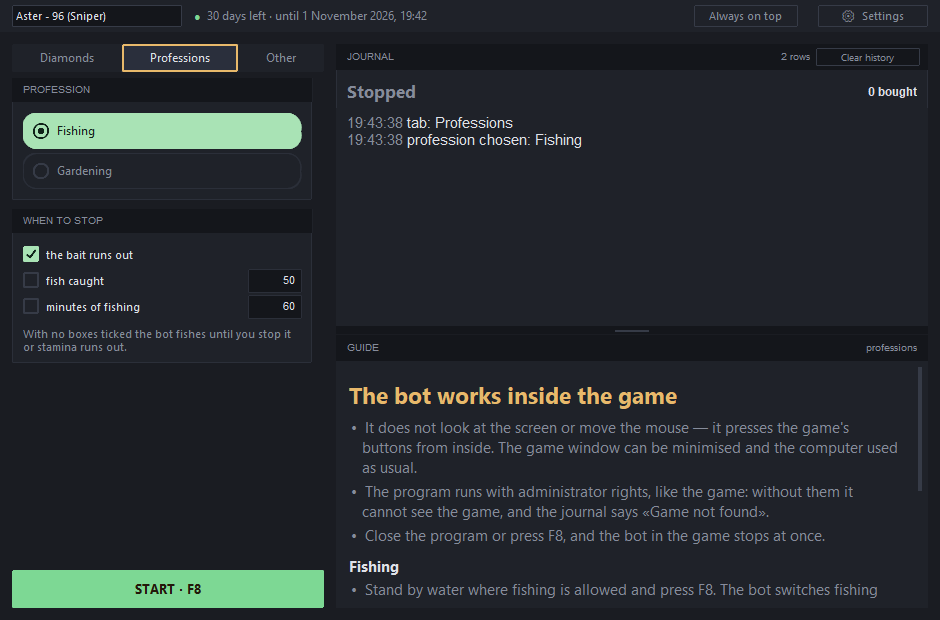
«Fishing» is selected; below it is «when to stop», and the log and guide are on the right. - «When to stop» — tick what you need
- out of bait — otherwise the game silently switches to the basic one;
- fish caught — how many to catch;
- minutes fishing — how long to fish.
- Getting ready: stand by the waterWherever fishing is allowed, and choose a bait — the bot fishes with whichever one is selected. Here's what it looks like before turning the bot on: at the bottom right the «Cast» button, next to it the bait and how much is left.
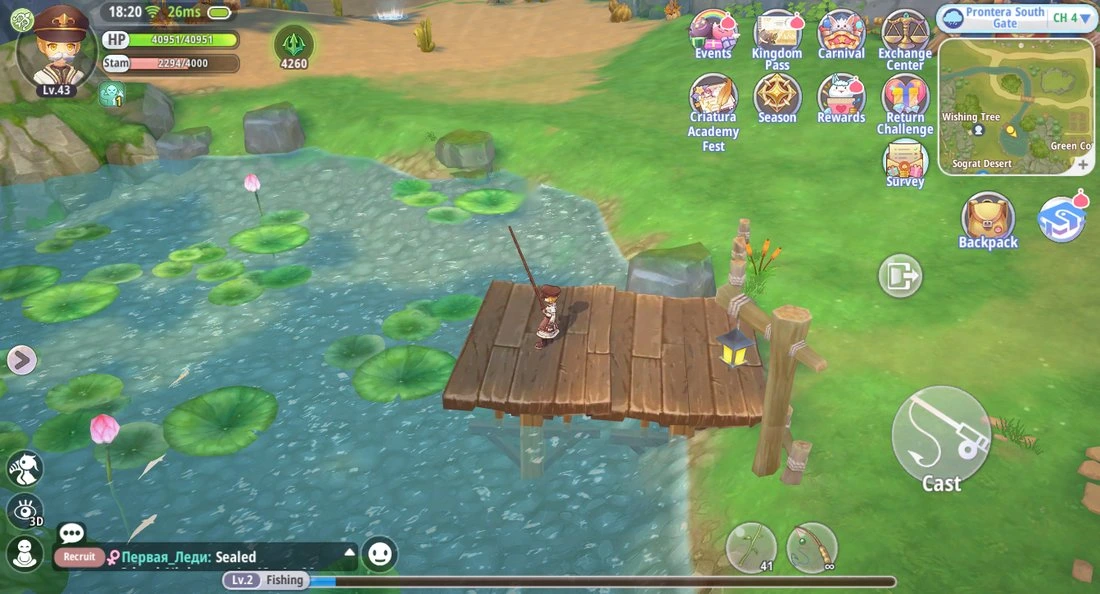
Before turning on: character by the water, «Cast» and bait (41 pieces) at the bottom right. - Press F8The state is «Connecting to the game», then «Catching fish». The bot switches to fishing mode and casts the line by itself.
- The bot waits for the bite on its ownThe line's in the water — a blue dashed ring appears around «Reel»: the bot is waiting. The ring turns green — it's biting, and the bot hooks it right away — it never misses the strike window. It doesn't watch the screen to do this: the game itself tells it about the bite, so the window can be minimised.
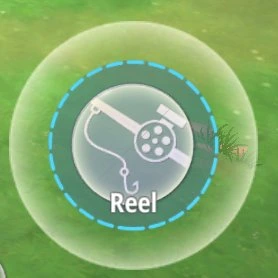
Waiting for a bite: the ring is blue. 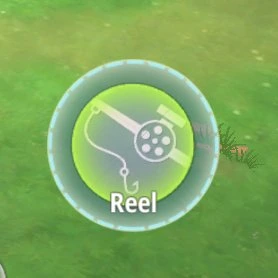
It's biting: the ring is green — the bot hooks it. - Caught one — and casts againThe game shows the catch — «Obtained …» — and the bot casts again right away. And so on in a loop, until a condition from «When to stop» triggers or stamina runs out.
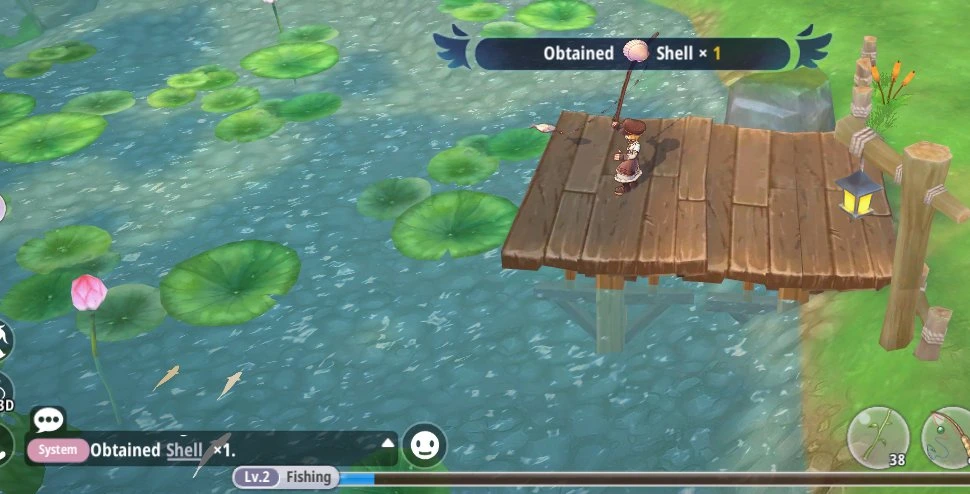
Catch: «Obtained Shell × 1». - The bot keeps count on its ownAbove the journal, on the right — «N caught»: the number grows with every fish. The count is per run: every press of F8 starts back at zero. Use your computer as usual in the meantime.JOURNAL3 rowsClear historyCatching fish12 caught
18:20:02 tab: Professions
18:20:04 profession chosen: Fishing
18:20:11 Starting fishing
* Stamina left: 2294
* Stop when own bait runs outFishing in progress: «Catching fish», on the right — «12 caught». - StoppingF8, a triggered checkbox, or stamina running out. The journal shows a summary: how long it fished, how many it caught, and, if the bot stopped by itself, why. Close the program and the bot stops in the game right away too.JOURNAL4 rowsClear historyFishing finished41 caught
18:20:02 tab: Professions
18:20:04 profession chosen: Fishing
18:20:11 Starting fishing
* Stamina left: 2294
* Stop when own bait runs out18:44:52 Fishing finished
* Fishing time: 24 minutes
* Fish caught: 41
* Reason: ran out of own baitSummary: «Fishing finished» — 24 minutes, 41 caught, ran out of bait.
If something's wrong
| What you see | What to do |
|---|---|
| «Game not found» | Launch the game and log in with a character. |
| «Not at a fishing spot — waiting» | Stand by water where you can fish — the bot will start by itself. |
| «Lost the connection to the game» | The game was closed or restarted. Start the bot again. |
| «Couldn't connect to the game… Restart the game» | Restart the game: the program won't connect to this run of it again. |
| «CHOOSE A CHARACTER» on the start button | Select a character in the list at the top left. |
Step by step
- «Professions» tab → «Gardening»The chosen activity is the green capsule in the «Profession» card.
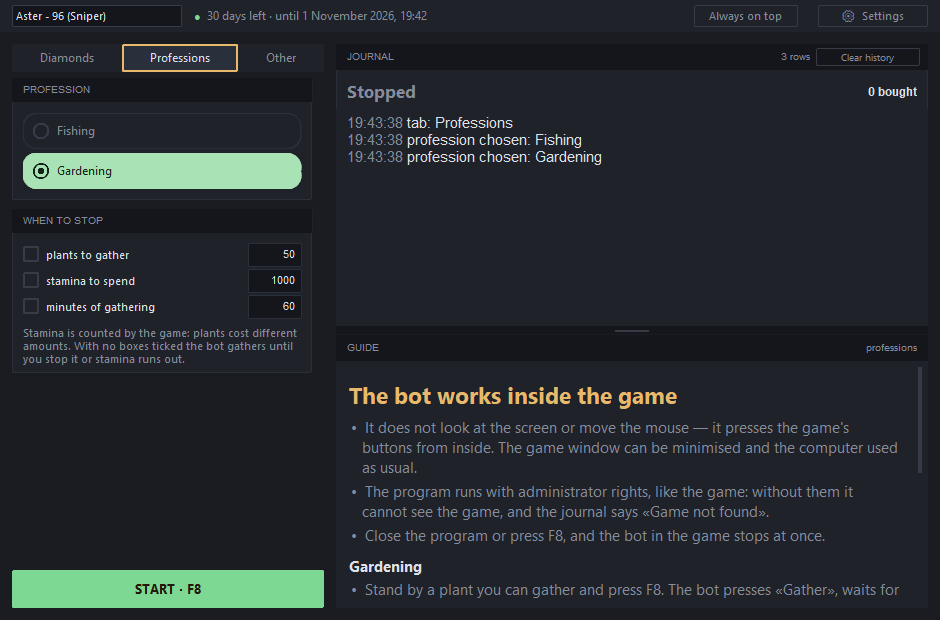
«Gardening» is selected; below it is «when to stop», and the log and guide are on the right. - «When to stop» — tick what you need
- plants gathered — how many to gather;
- stamina spent — the game counts it, and plants cost different amounts;
- minutes gathering — how long to gather.
- Getting ready: stand by the plant and press F8Walk up to a plant that can be gathered — the «Gardening» button will appear above it. Now press F8 in the program (or «START» at the bottom left).
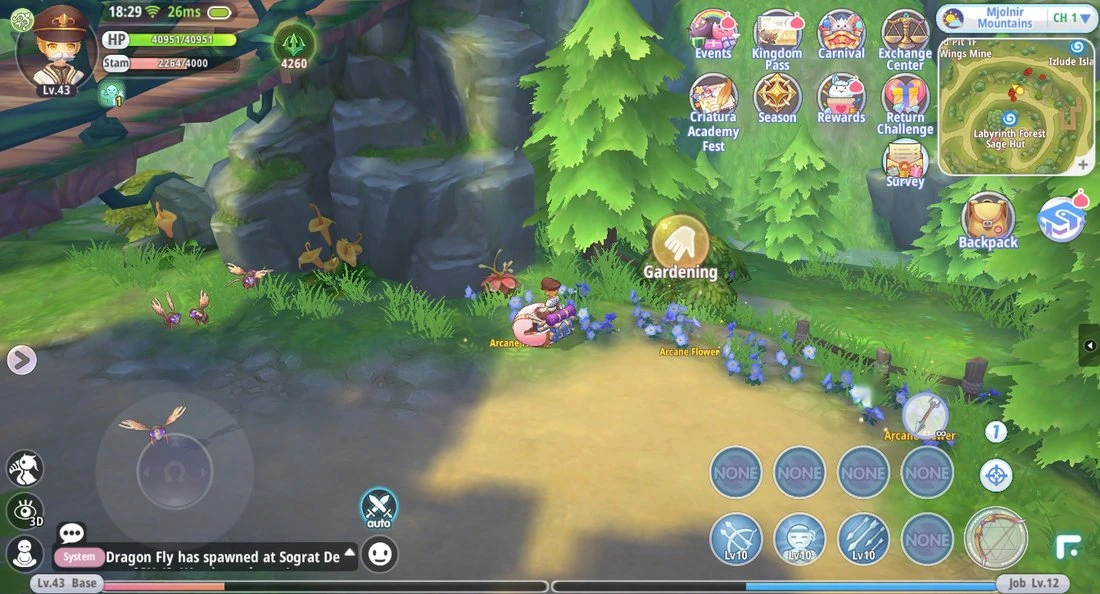
Character by the plant, with «Gardening» above it. - The bot presses «Gardening» itself — gathering is underwayThe state is «Gathering»: the bot presses the button, waits for the «Gather» bar to finish, and repeats. Above the journal, on the right — the «N gathered» counter.
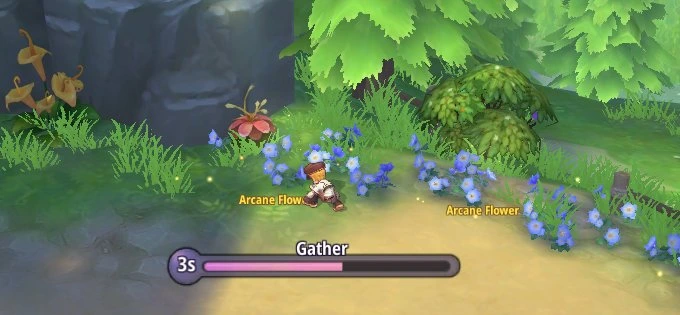
Gathering in progress: the «Gather» bar. - The bot handles the game's checks itselfSometimes the game interrupts gathering with a window showing an example — say, «6-3». The bot answers just like a person would: it opens the answer field, types the number on the game's number pad and confirms. The state at that point is «Answering the check».
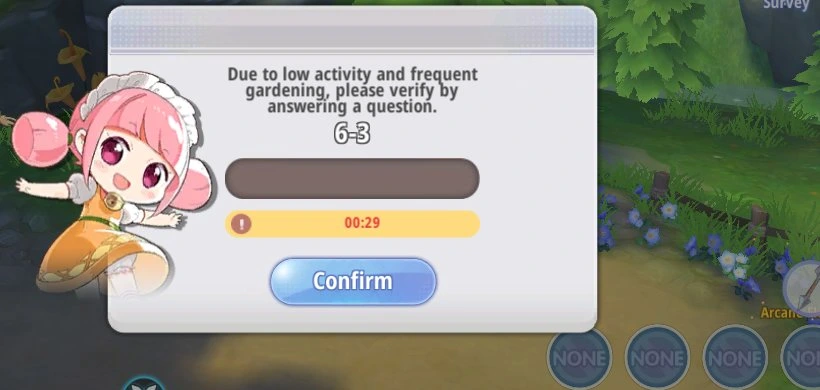
Example from the game: 6-3. 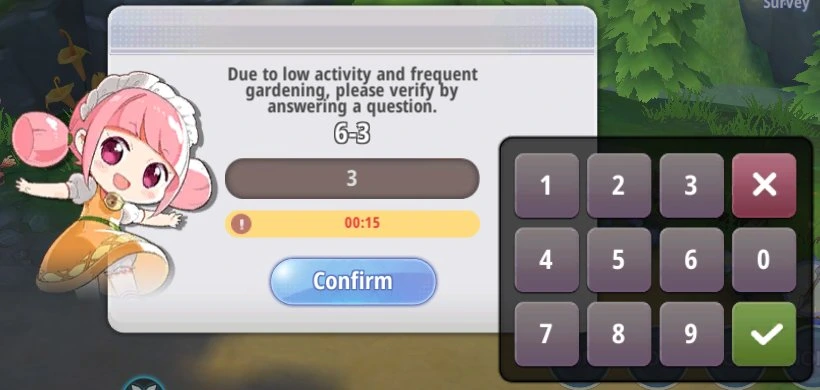
The bot has typed the answer — 3 — and is confirming it. - «Correct!» — and back to gatheringThe answer is accepted — the bot goes back to gathering, as in step 4. If the answer still isn't accepted, the game applies a penalty: «Gathering paused: game penalty — waiting until …», and until then the bot presses nothing.
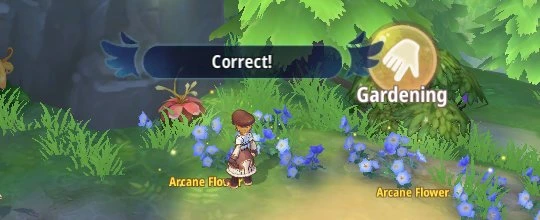
Answer accepted: «Correct!». - Plants don't always growEvery plant has its own time of day in the game. Not growing — the game writes «This plant will not grow in the current period.». The bot checks three times, stops pressing and waits for the plant's time to begin; the journal shows why and until what time. Once the time comes, it carries on by itself.
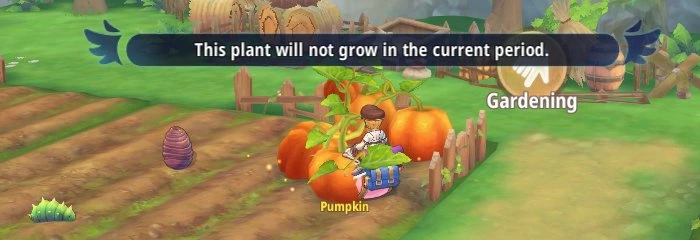
The game: the plant isn't growing right now. JOURNAL4 rowsClear historyWaiting for regrowthgathered 4718:29:05 tab: Professions
18:29:06 profession chosen: Gardening
18:29:12 Starting gathering
* Stamina left: 2264
* No stop conditions19:00:08 Gathering paused: it's dusk right now, and this only grows during day and night — waiting until 19:40
In the program: «Waiting for regrowth», and the journal shows why and until what time. - StoppingF8, a triggered checkbox, or stamina running out: «Gathering finished» — the journal shows how long it gathered and how much was gathered. Close the program and the bot stops in the game right away too.
If something's wrong
| What you see | What to do |
|---|---|
| «Game not found» | Launch the game and log in with a character. |
| «Not at a gardening spot — waiting» | Walk up to a plant — the bot will start by itself. |
| «Waiting for regrowth» | Nothing: the bot waits for the plant's time and will carry on by itself. |
| «Wrong-answer penalty — pausing a minute» | Nothing: the bot will carry on by itself after a minute. |
| «CHOOSE A CHARACTER» on the start button | Select a character in the list at the top left. |
Rox Helper · guide.