Rox Helper
guideOther
Various useful tools
Three tables that open in the browser: the enchantment calculator, profit from professions and official probabilities. In the program this is the «Other» tab: pick a table on the left and click «Open in browser» on the right. The tables don't need the game — they work out their numbers from the prices the market scanner recorded.
Answers the question: how much it costs to raise enchantment from one level to another, and where that's cheapest. It works out prices by city, Muspellium with merging and splitting, «buy or craft», and a step-by-step plan — in crystals and in units of material.
Step by step
- Open it«Other» tab → «Enchantment cost calculator» — its description appears on the right; click «Open in browser». The page opens in a separate browser tab; it doesn't need the game or the internet. It works for as long as the program is running and the key is active.
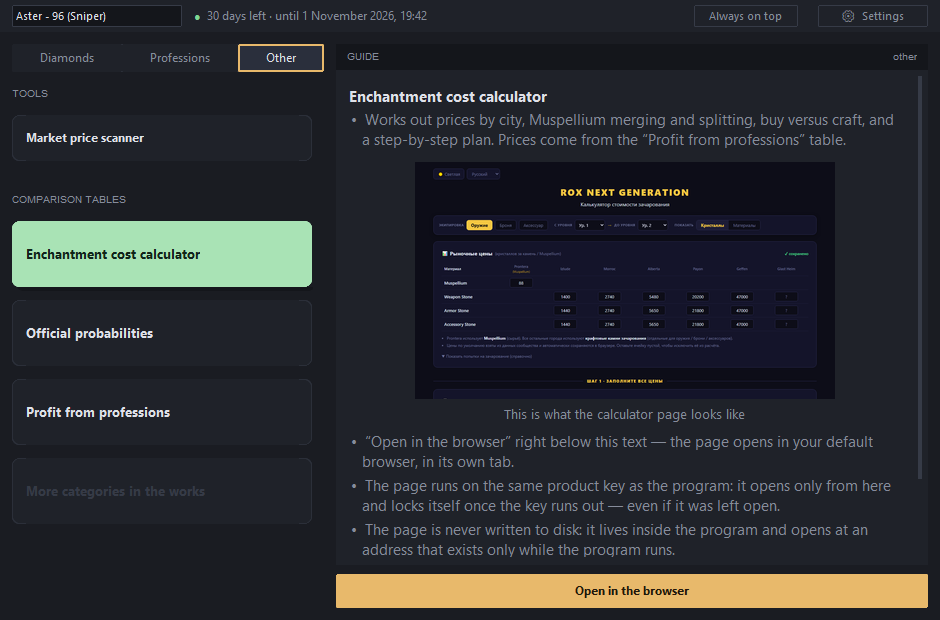
The calculator is selected — its description and «Open in browser» are on the right. - EquipmentWeapon, armour or accessory: each has its own stone and its own price.
- From level → to levelA stretch of the path, for example 12 → 14: two enchantments in a row.
- Show«Crystals» — what it costs in money, «Materials» — how many stones and how much Muspellium to gather.
- Market pricesOne row per material, one column per city. Prontera is calculated from Muspellium, the other six cities from craftable enchantment stones. Prices come from the «Profit from professions» table — what the scanner recorded; correct a price here and the change goes right back into the program's settings.
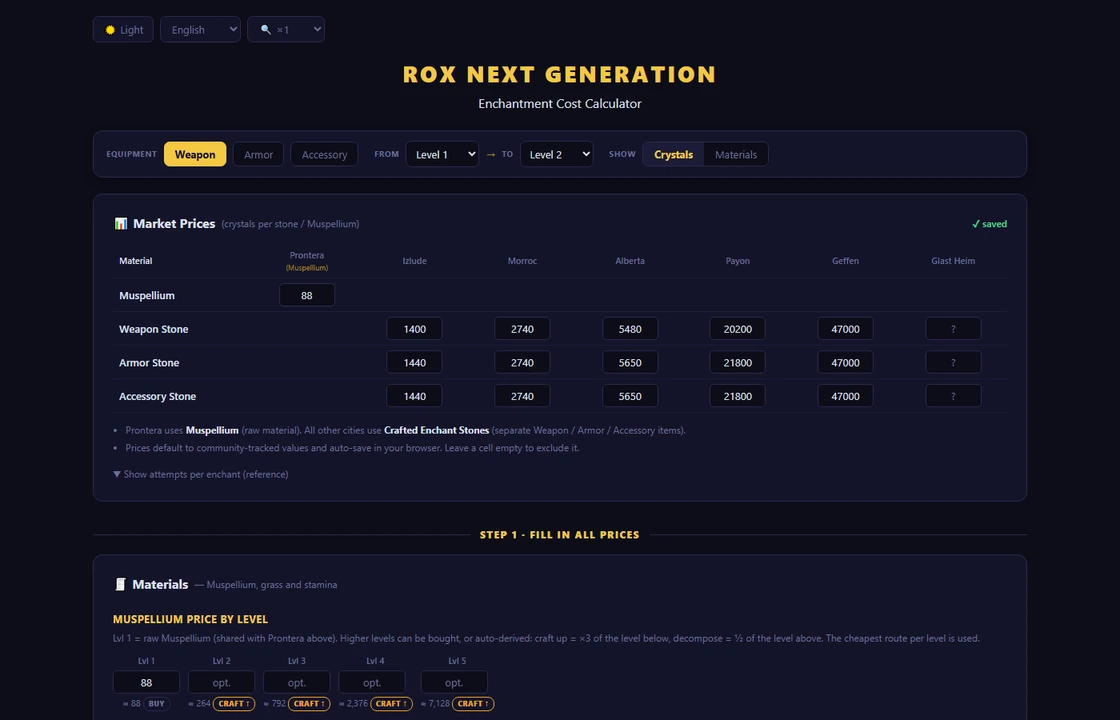
What we're calculating, and at what prices. - Muspellium by levelYou don't have to fill it in: it's worked out automatically two ways — «buy it ready-made» or «merge ↑» (×3 of the level below) — and the cheaper one wins. Under each level it says which one.
- ResultThe cheapest option — large, with the city; a tile per city with the total and how many to buy; rows per level showing how much EXP each enchantment gives and what it costs.
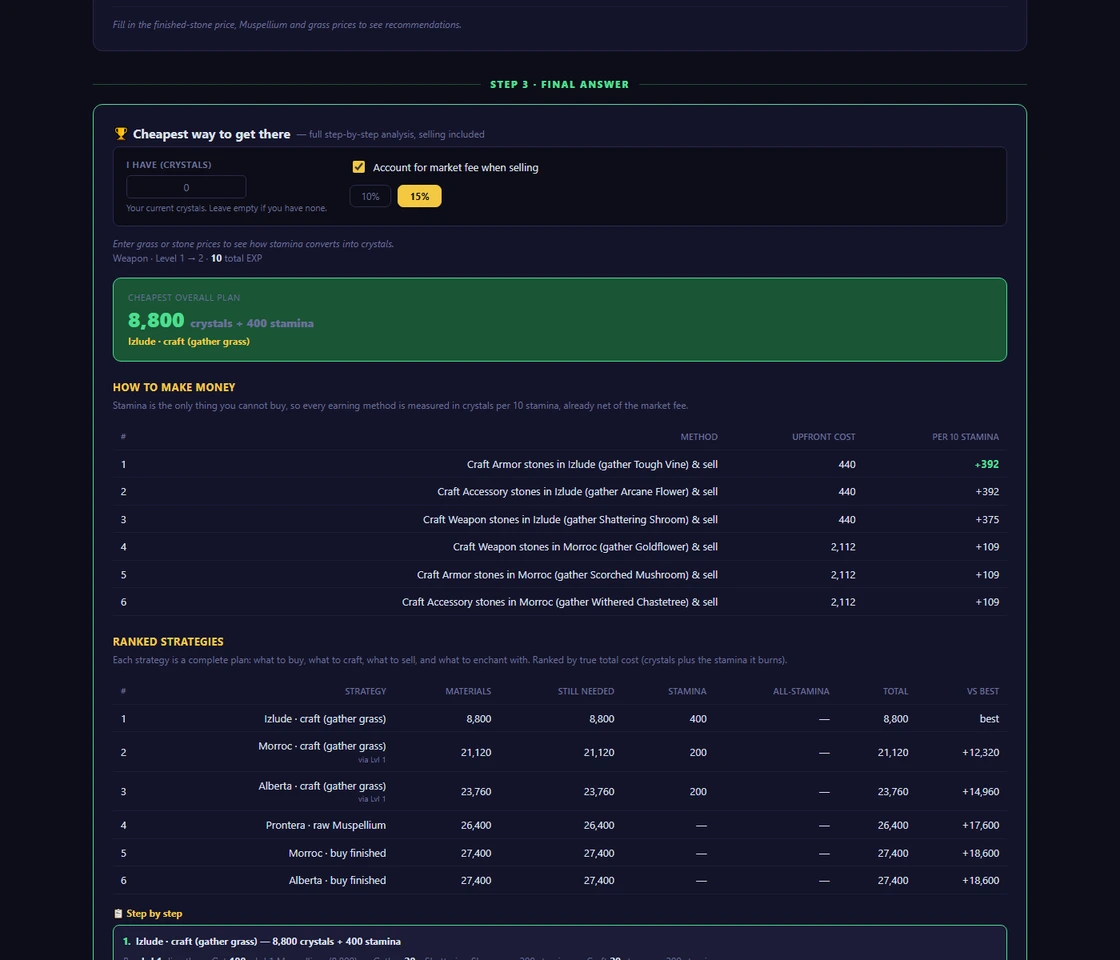
What it all comes to.
Answers the question: what's most worth doing right now. It takes the scanner's prices and ranks every item by profit — the most profitable at the top.
Step by step
- First, record prices with the scannerThe table works out its numbers from them — see the «Market scanner» section.
- Open it«Other» tab → «Profit from professions» → «Open in browser» on the right.
- Four tiles at the topMining, fishing, herbalism, crafting — with profit per 10 stamina: ten is exactly one gathering action, which makes the comparison fair.
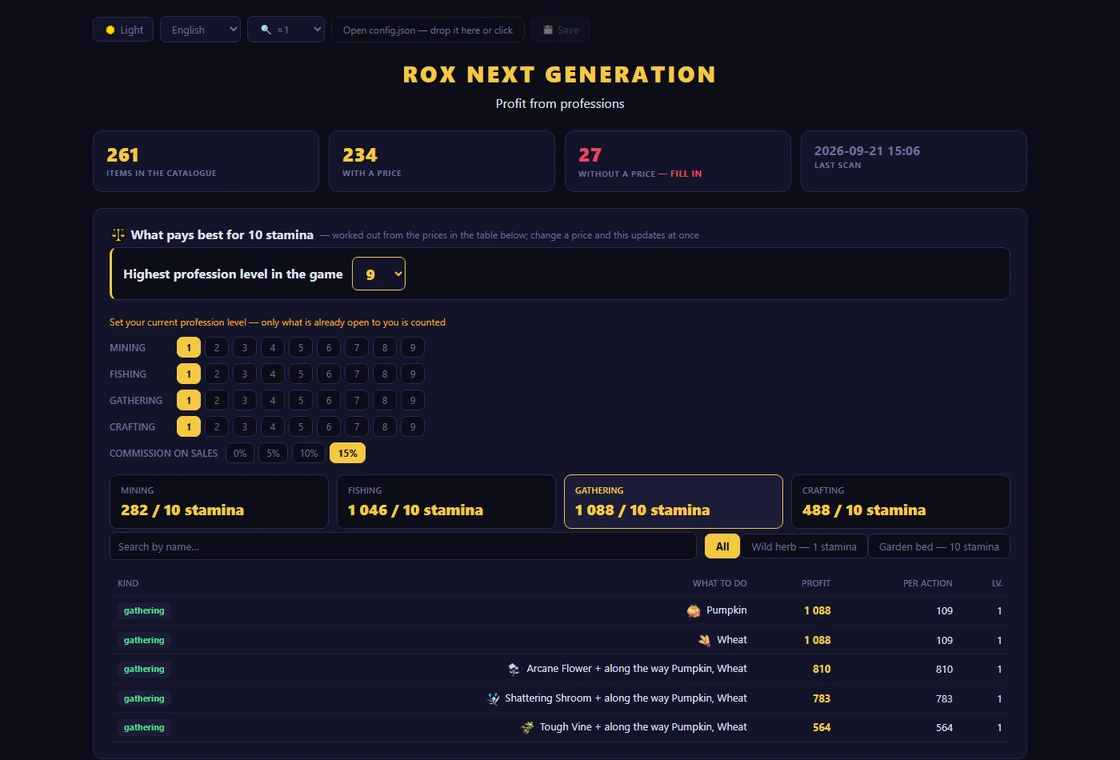
Activity types up top, with exactly what to do underneath them. - The table below themActivity type, what to do (with an icon and «what's needed»), the cost of one unit, the sale price in two columns — what you list it for and what's left after the commission (set above the table) — profit, and the profession level. There's a search by name if you're looking for a specific item.
- Buying for craftingEvery material has a «what you already have» field: enter how much you're holding, and only the shortfall goes into the shopping list.
- A ≈ sign next to the profitSome price is currently missing, so the last one seen was used. At the bottom is what's needed to calculate the rest.
- A price can be typed in by handRight into the cell — it goes straight into
config.json. A red outline and a dash mean there's no price: the item isn't on the market, or it hasn't been entered yet; an empty field clears the price. Ran the scanner again — refresh the page.
Official odds from the developer's own publication: where it's cheapest to catch an orange, refining, enchant quality, pet capture, skill slot.
Step by step
- Open it«Other» tab → «Official probabilities» → «Open in browser» on the right.
- Find the section you need
- Where it's cheapest to catch an orange — by gear and your level: the chance in each of the seven cities, the average number of clicks, how many stones it takes and what that costs at market prices; the cheapest city is at the top.
- Refining — with and without a protection stone, levels 0→15: success, downgrade, breakage, «no change». Identical neighbouring levels are merged into one row: «6→10» means the chance is the same on every step.
- Enchant quality — seven cities in one table, levels 1→20; the gear slot and quality are picked with buttons, and the best city in a row is highlighted.
- Pet capture — the chance by quality, including mythic.
- Skill slot — which of the four slots a learned skill will land in.
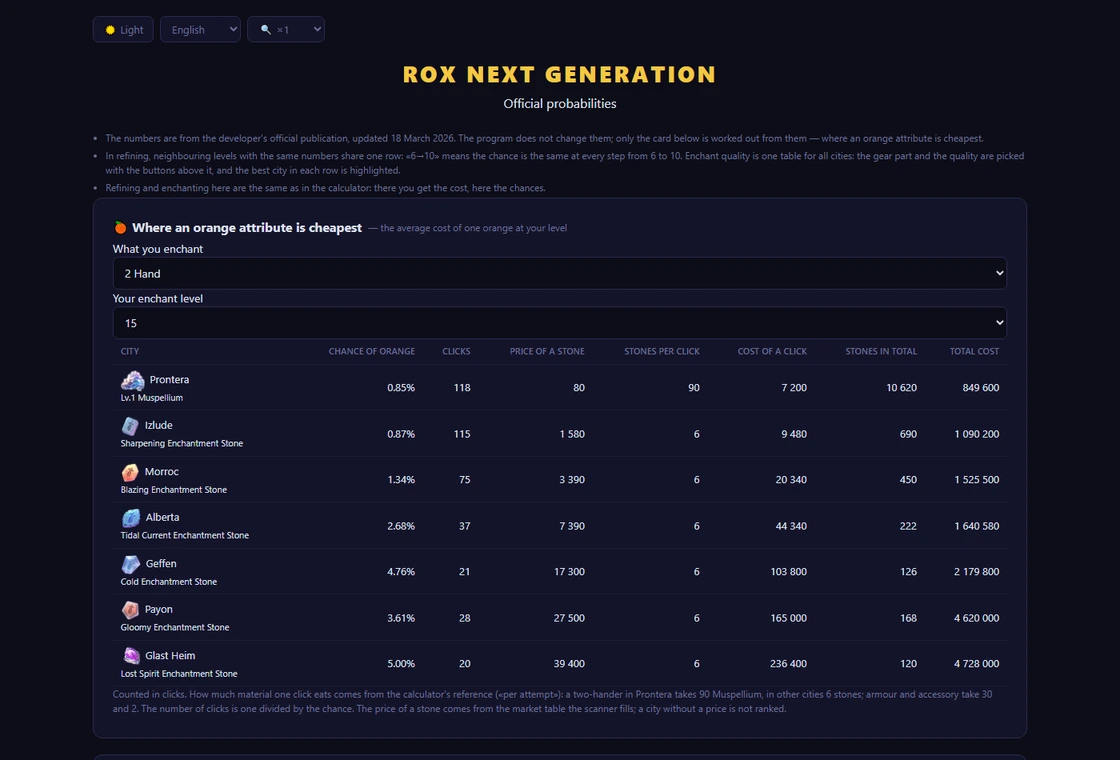
Odds for refining, enchanting and pet capture.
The program doesn't change the developer's numbers; they're only used to calculate the orange-catching card.
Rox Helper · guide.